Cucmber Test Paper QNA FAQ's

Gherkin Keywords Used in Feature Files

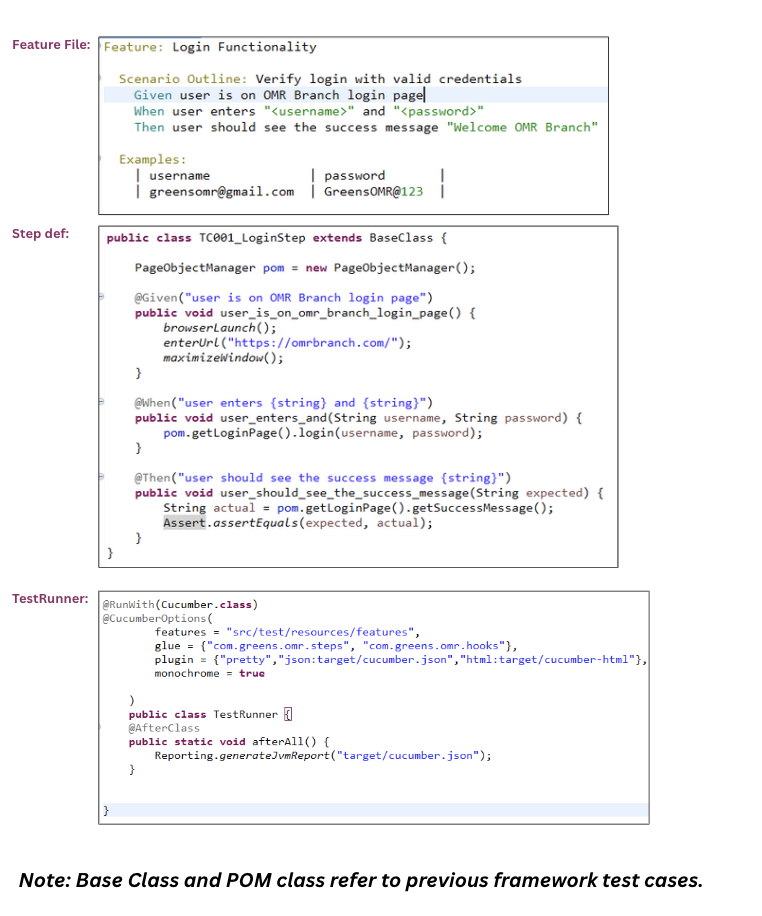
  • Feature → Describes the business functionality under test.
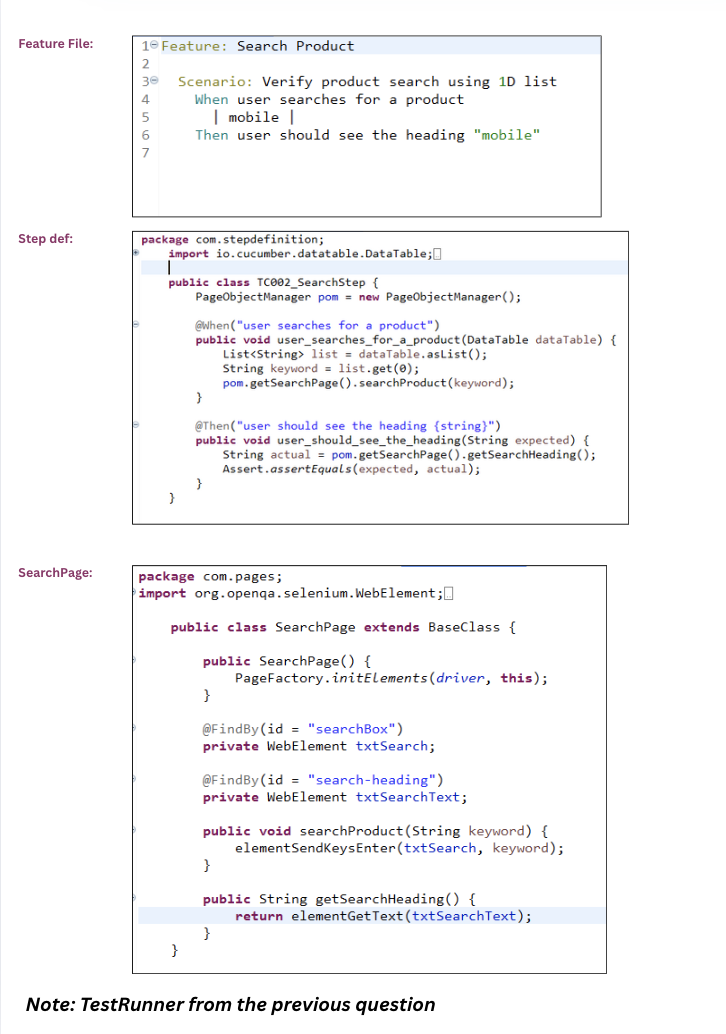
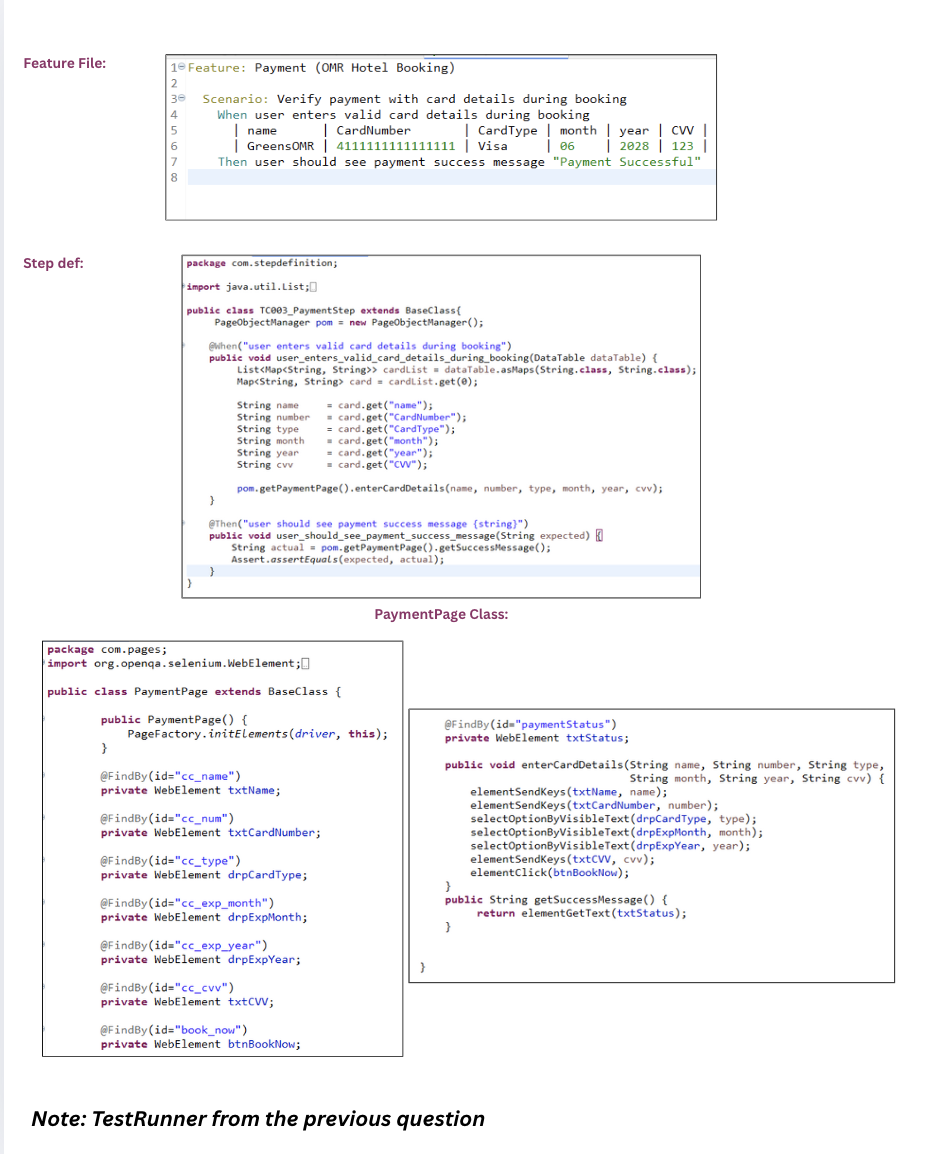
  • Scenario → Represents one concrete test case.
  • Scenario Outline → Allows running the same scenario with multiple sets of data.
  • Examples → Provides the test data for a Scenario Outline.
  • Background → Defines common preconditions for all scenarios.
  • Given → Defines the preconditions or initial context.
  • When → Defines the action or event performed by the user.
  • Then → Defines the expected result or outcome.
  • And / But → Additional conditions or steps to extend Given/When/Then.

Cucumber Options Explained

  • features – path(s) to .feature files
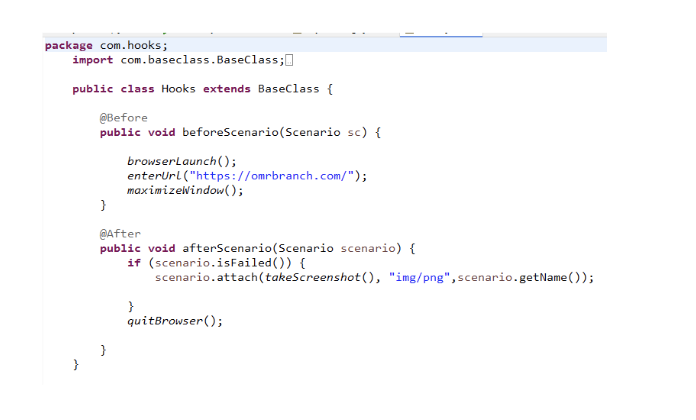
  • glue – packages for step definitions & hooks
  • plugin – reporters: pretty, Json:<path>, html:<path>, Junit:<path>
  • tags – include/exclude scenarios by tag expressions
  • monochrome – prettier console output (true/false)
  • dryRun – only checks step definition mappings, doesn’t run (true/false)
  • publish – publish results to reports.cucumber.io (true/false)
  • name – run scenarios whose names match regex/strings
  • snippets – snippet style (camelCase/underscore)
  • Add the Cucumber Reporting plugin dependency in maven project - pom.xml.
  • Create a separate Reporting class and write the logic to generate the Cucumber JVM report.
  • In your Test Runner class, use the @AfterMethod to call the reporting method after test execution.
  • Execute the Cucumber tests using your Test Runner.
  • The Cucumber JVM report will be generated in the target folder with detailed scenario results.